Week Nine Blog
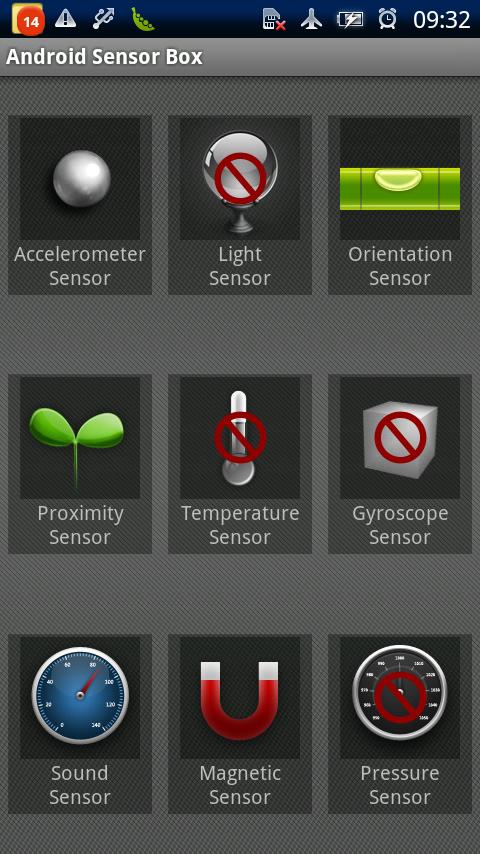
This week was held as a hybrid. We were in class on Tuesday and had class online on Thursday. On Tuesday, we had another "App Smack-down." I presented Sensor Box for Android,which is a sensor diagnostics tool for mobile devices running Android OS. It gives an array of options that give any user the ability to test every sensor on on their device. This is beneficial for many reasons. For example if you ever come across a time where where your screen wont shut off when you put it against your face, there is a test for that, There is an option to test the proximity sensor, which senses how far away an object is away from the phone. If the test yields bad results, you can now diagnose your phone for a future repair. Other tests include, accelerometor, light, orientation, temperature, gyroscope, sound, magnet, and pressure.
On Thursday, we had to watch an online Google Hangouts sessions about story telling applications. It was a call between professor Calderwood and speakers, Hannah Clemmons, Jonathan Wylie, and Shannon McClintock Miller. The tools they outlined were Animoto, ToonTastic, and FlipSnack. All of these apps offer various ways to present information to an audience with an animated interface. If executed properly, the presentation can be an effective tool in conveying a message. For our assignment, we had to tell prospective Stockton freshman why our major is the best choice. My presentation was about the computer science program.

For my Livebinder reading, I chose "10 Apps & Sites for Digital Storytelling & more!" This was a great article, explaining the ins and outs of digital story telling. This article answered the following questions: What is digital storytelling, why use digital storytelling and which tools are best? This gave me a good idea, with exception to the Google Hangout video, of what digital storytelling was all about. Following that, Erin Klein lists her top ten favorite storytelling apps.
Then, in Chapter 4 of our textbook " Untangling the Web," the social web is discussed. The first application this chapter mentions is TodaysMeet. It allows teachers to create a "back channel" that gives educators the ability to discuss and document classroom interactions. Not a bad tool for educators, as it is apparently one of the simplest tools you can use.The next tools mentioned are Skype and Kidblog, Skype has its' various benefits, as we have discussed the benefits of this app in previous sections. Kidblog, on the other hand, allows the educator to establish safe spaces for students to share online that can be moderated at the discretion of the teacher. Lastly, there is Edmodo and Twitter. Edmodo can be said to be Blackboard on steroids. I really do understand why Edmodo is preferred as a learning management system. IT offers a seamless user interface and offers intuitive functionality. Twitter can be termed a micro-blog, due to its 140 character limitation. We, as a class have been utilizing this network the entire semester.


No comments:
Post a Comment